AnyTranslator
Translate, talk and learn in one App.
Read menus, documents and tables. Reply to messages, follow videos and practise with your AI assistant. 11 tools connect reading, writing, listening and speaking.
Features
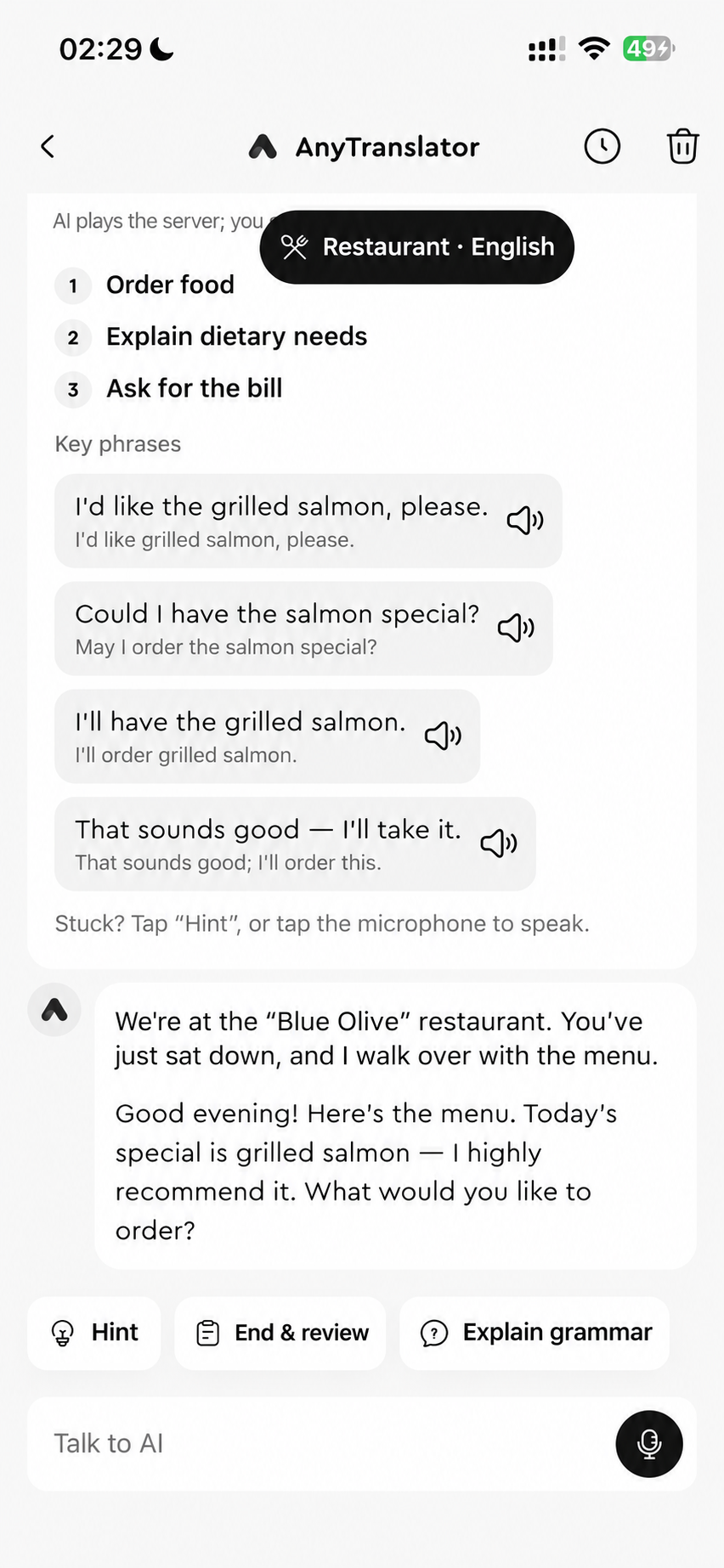
AI assistant
Understand photos, interpret conversations and practise with natural AI speech. A language coach for travel, work and everyday life, whenever you need one.
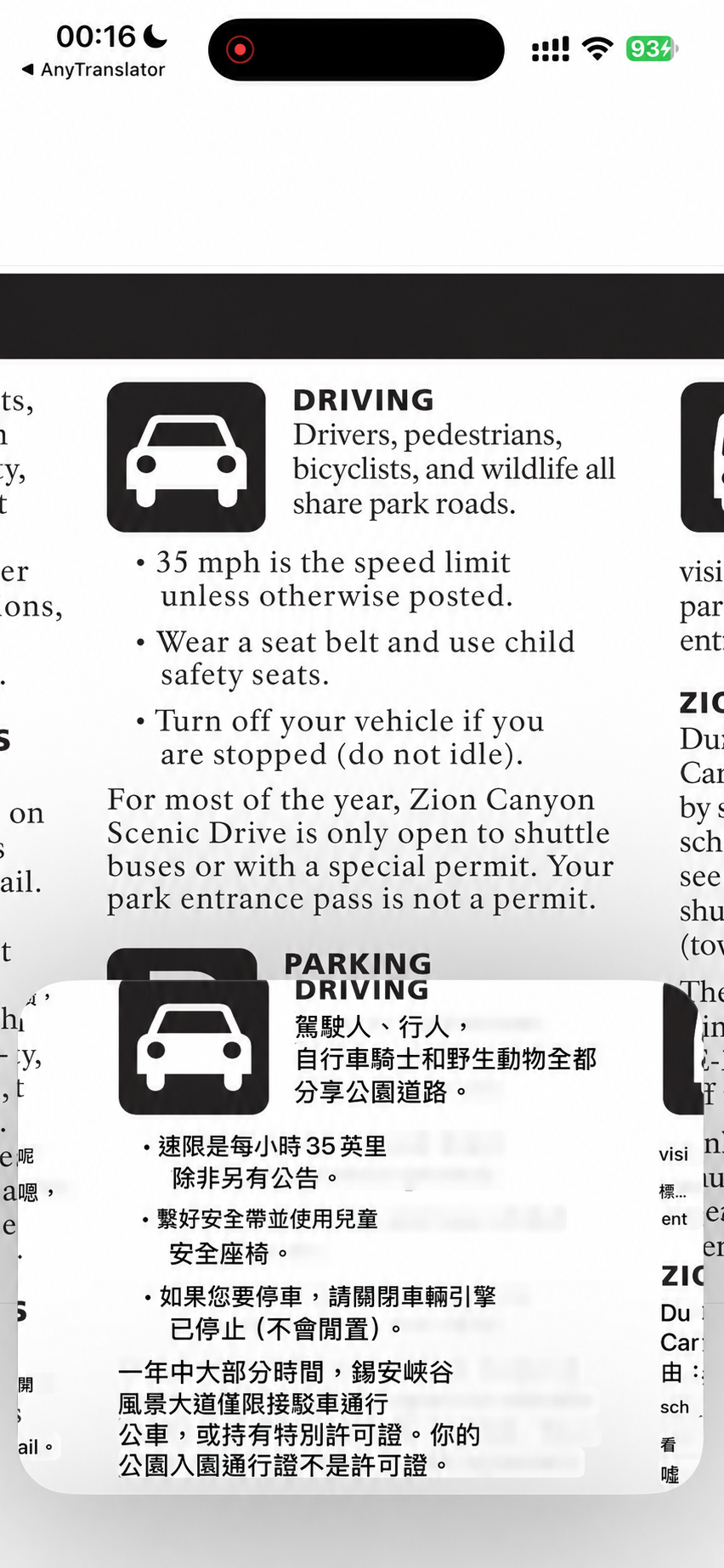
Cross-App translation
Stay with your video or webpage and read translations in Picture in Picture. Compare originals and translations, then revisit useful lines in history.
Text & writing
Messages and email in seven tones to suit the reader. Use Helper to understand Russian and German endings, then ask the AI assistant to proofread your source text.
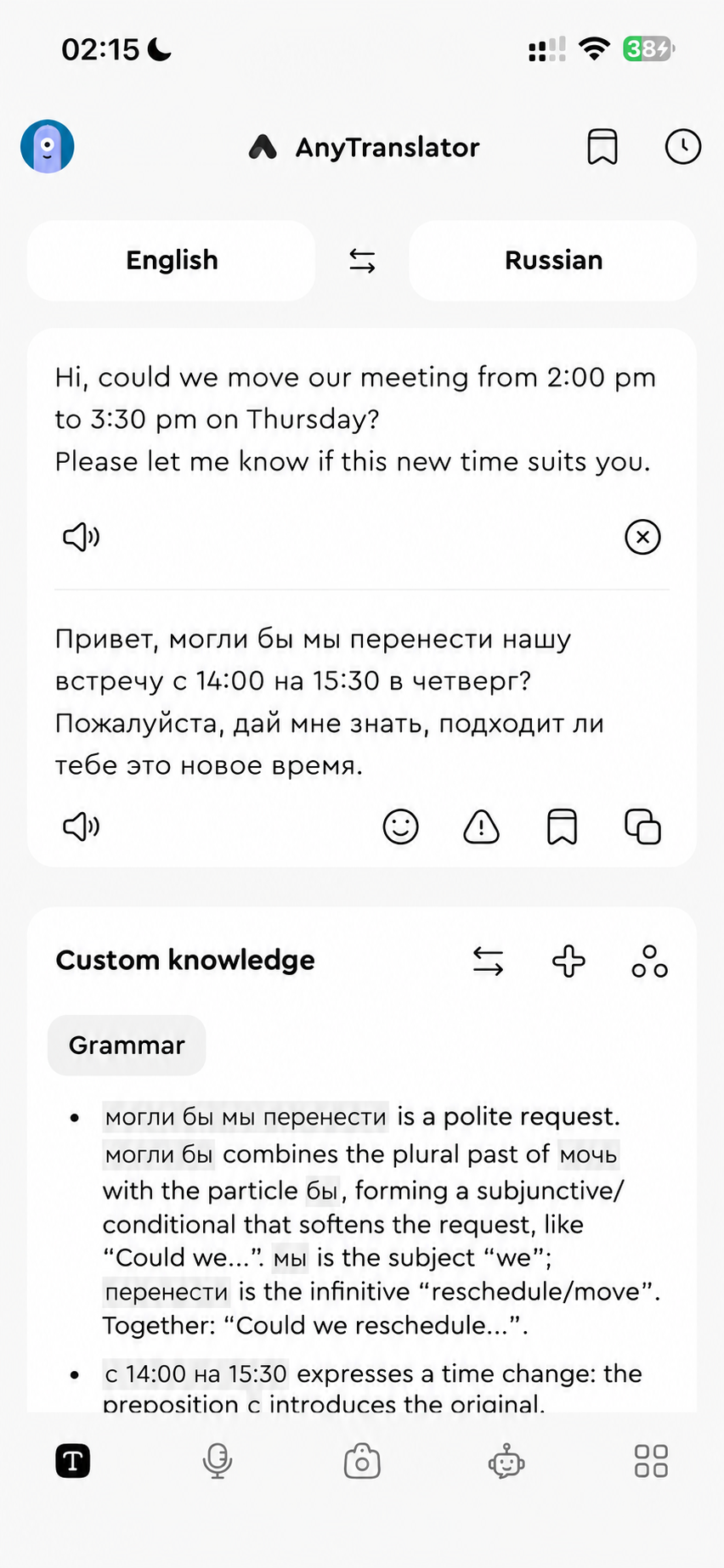
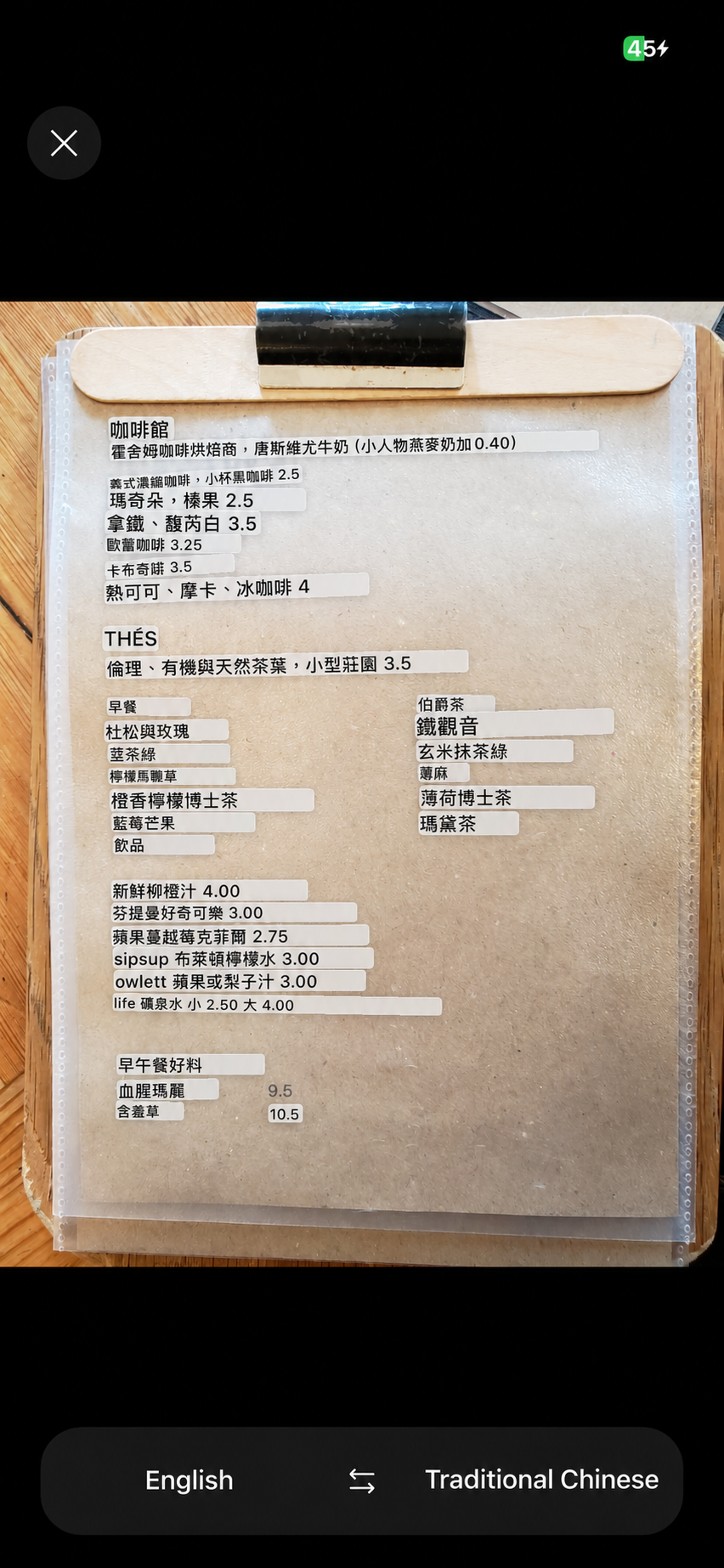
Photo translation
Signs, labels and notices—point your camera and see translations over the image.
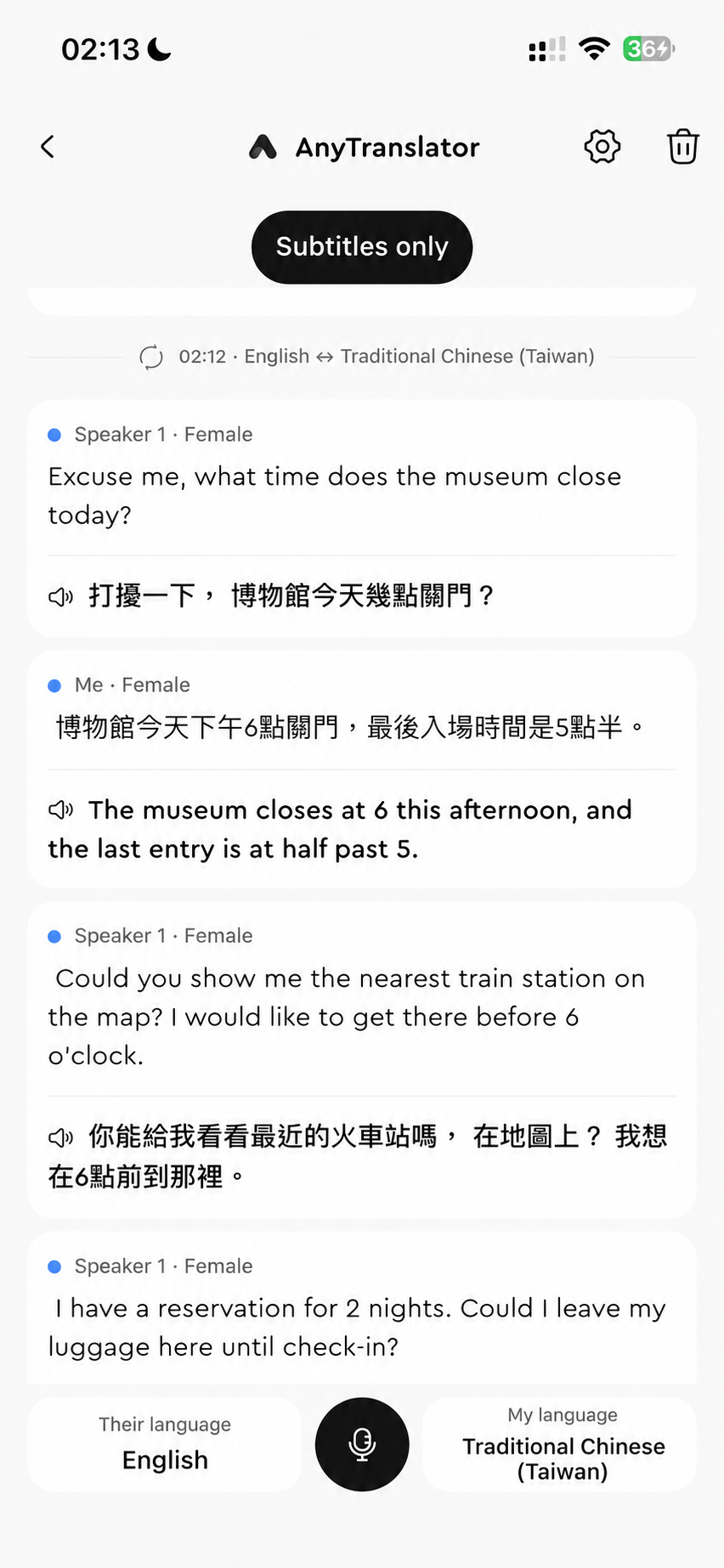
Live voice translation
Bilingual subtitles follow the conversation while natural AI speech speaks for you. Four modes help both sides understand.
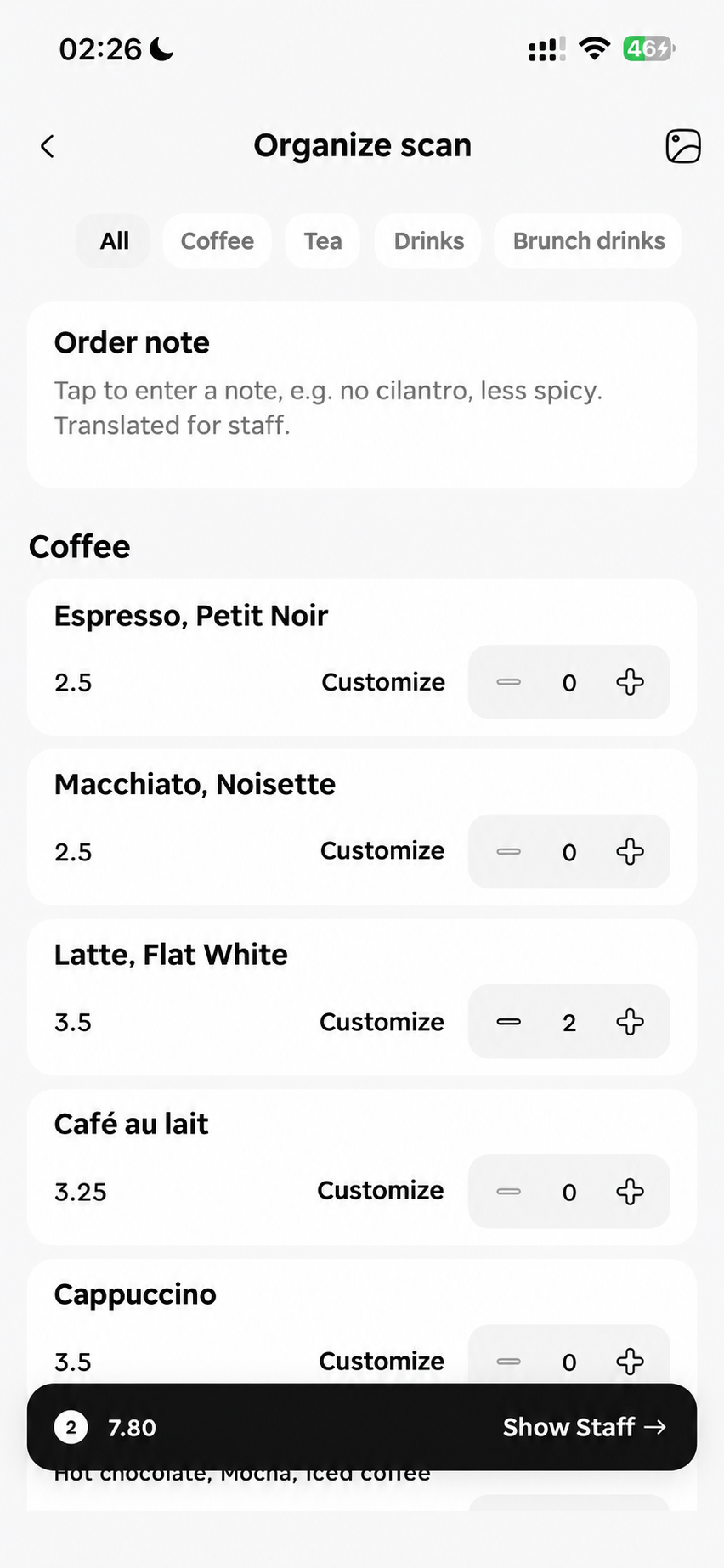
Menu scanner
Photograph a menu, choose dishes, prices and extras, then show the staff your order in its original language.
Document scanner
Photograph multiple pages and read paragraphs, lists and tables. Compare the original and reopen results from history.
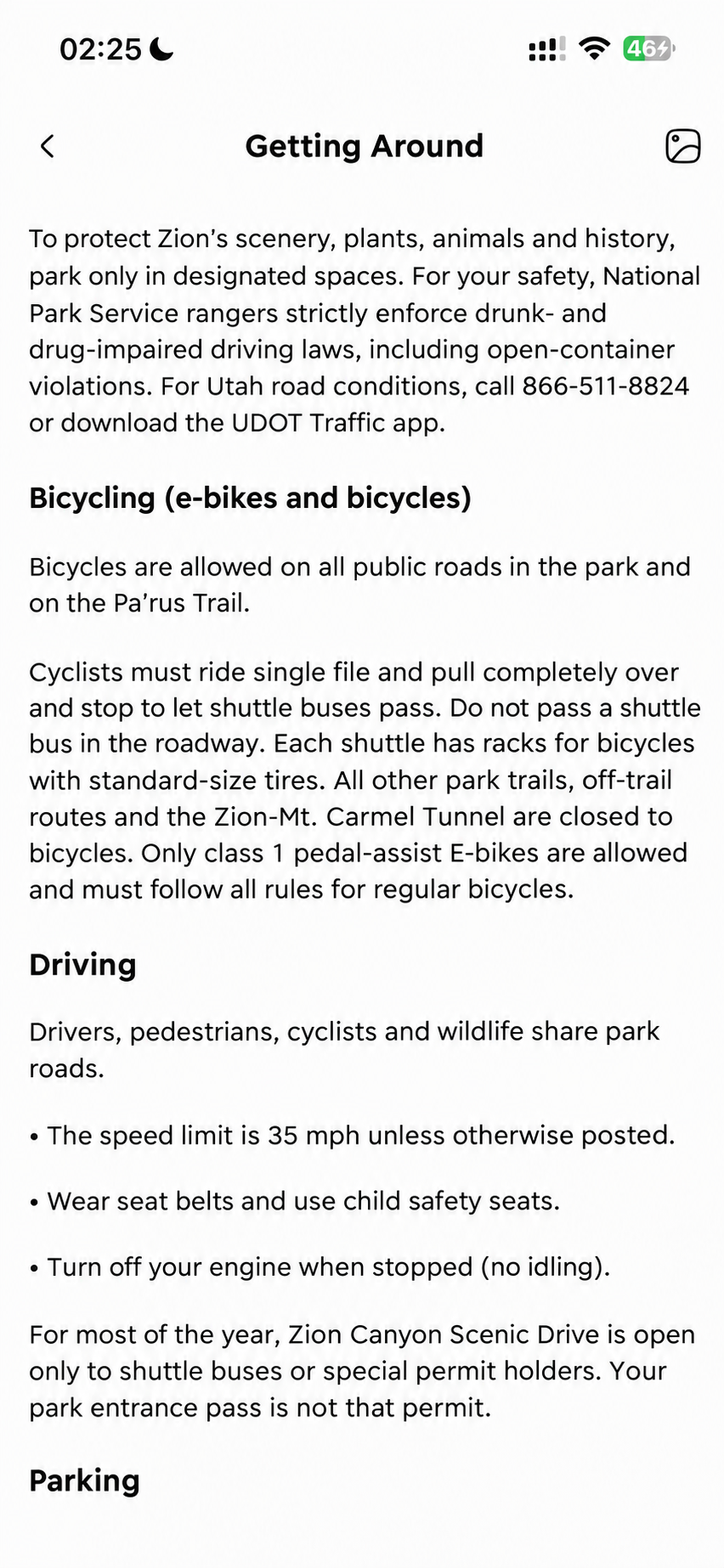
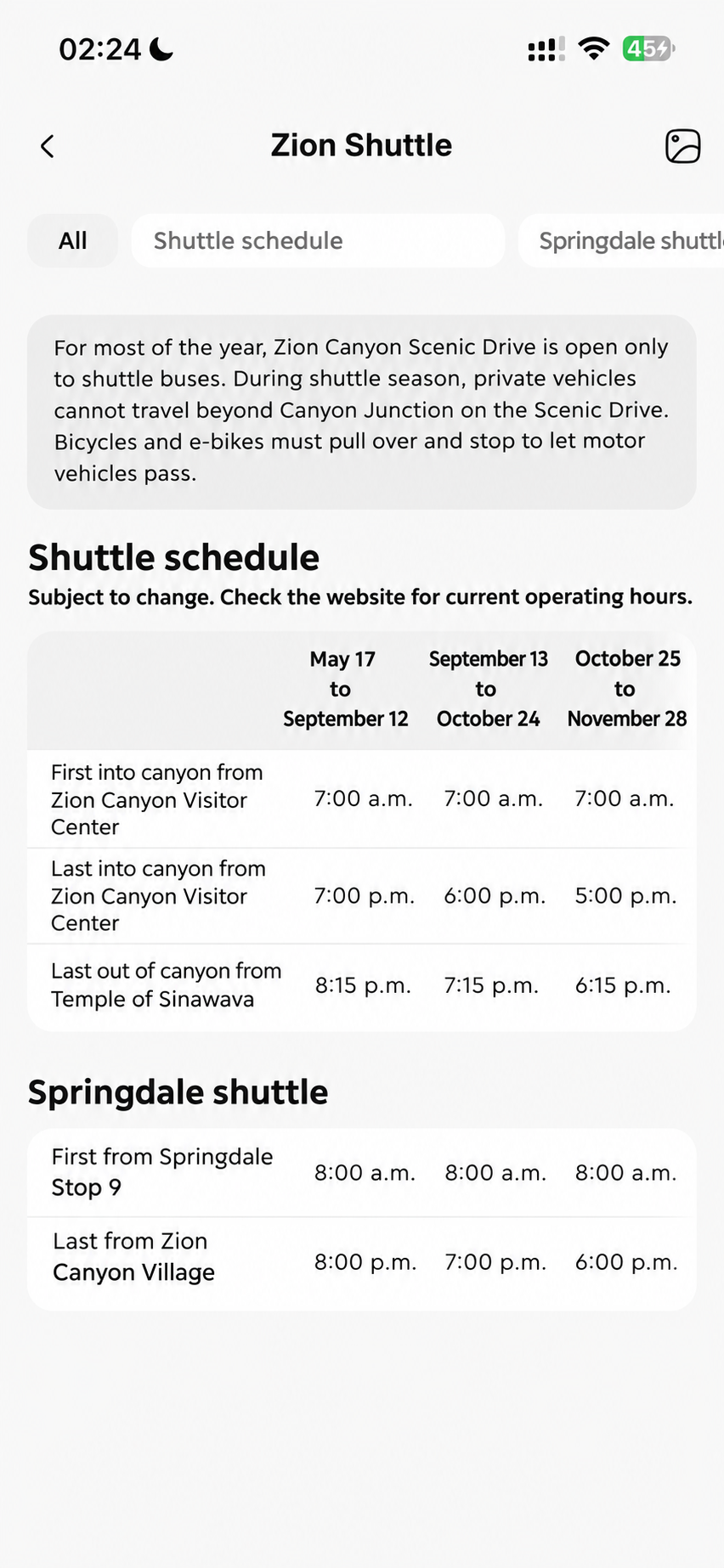
Table translation
Read timetables and price lists as tables. Scroll wide tables horizontally and check times, prices and units in context.
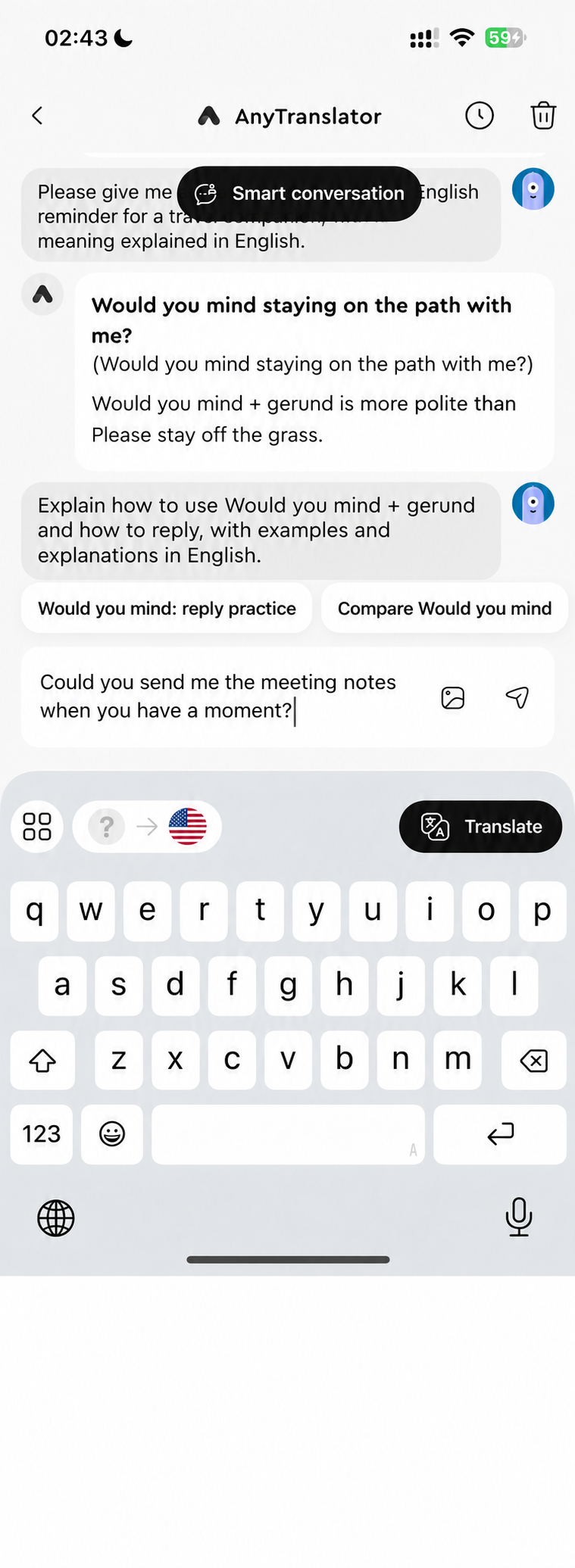
iOS keyboard
Reply without switching Apps. Type or use iOS dictation, translate and adjust the tone in the text field, then send it yourself.
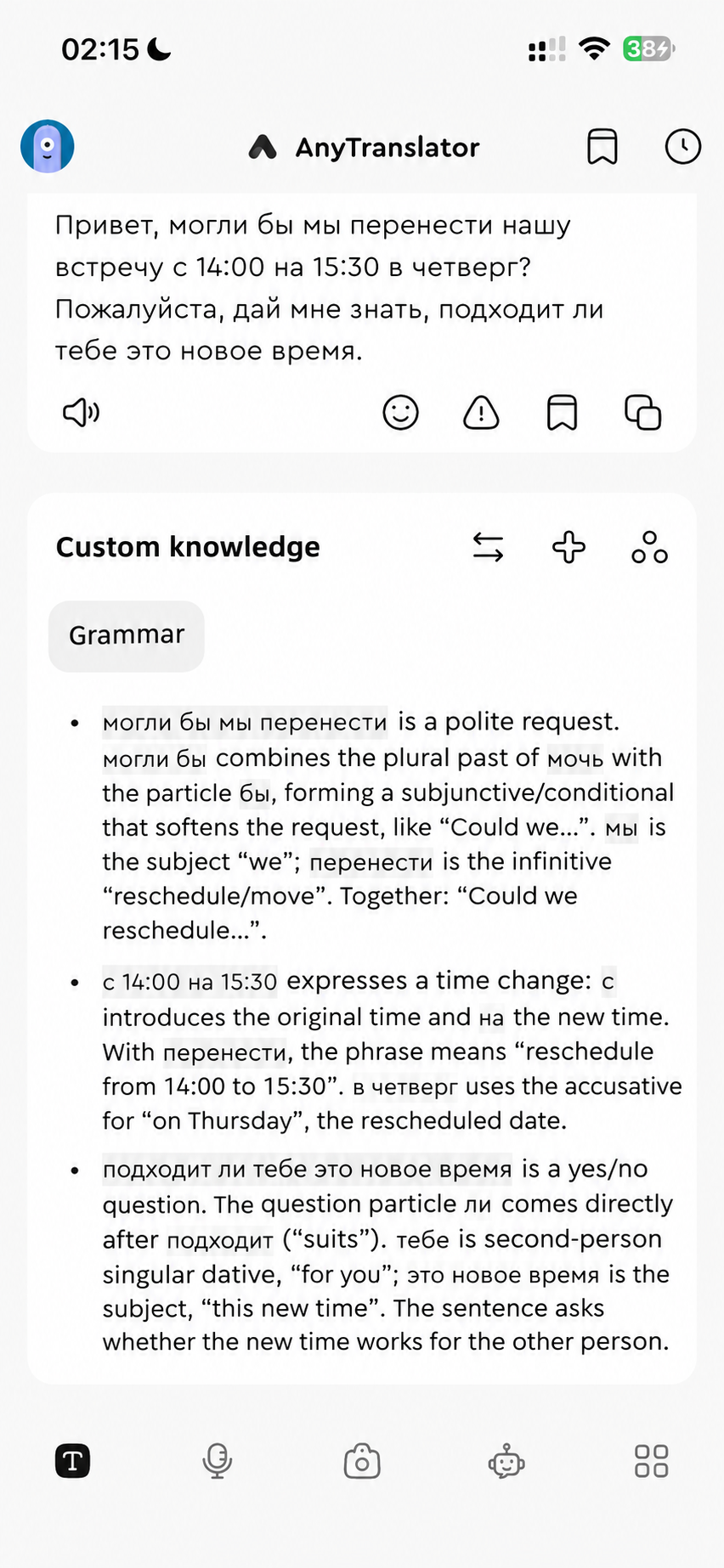
Helper & custom knowledge
Unpack Russian cases and German endings in your language. Save your preferred explanations once and reuse them with the next sentence.
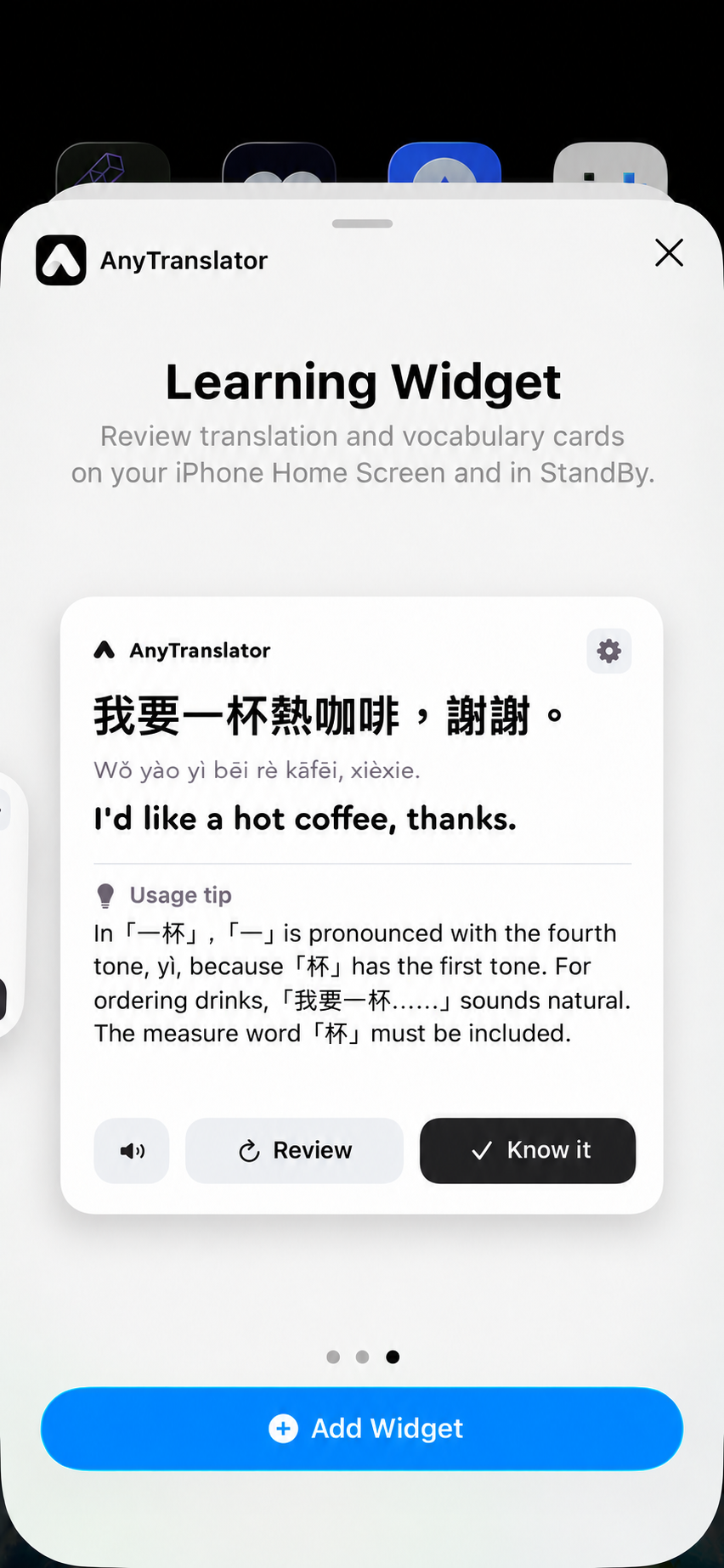
Learning Widget
Your Home Screen becomes a study card. Read words and phrases, hear AI pronunciation, and mark them for review or as learned. Choose the content, topic and difficulty.
FAQ
A few things you might be wondering.
Can I try it for free?
Try translation, the AI assistant, voice and basic Widget content for free; check the App for allowances. Pro adds multi-page scans, more Helper settings and custom learning content. Voice plans include more minutes.
Can I use it on Mac too?
Check the App Store for Mac compatibility and system requirements. The translation keyboard, learning Widget and cross-App translation are for iOS/iPadOS.
How is AI assistant voice different from voice translation?
For face-to-face chats, use voice translation for bilingual subtitles and natural AI speech. For questions or speaking practice, talk to the AI assistant and follow its examples. They use separate minute allowances.
How do I translate in a messaging App?
Enable the AnyTranslator keyboard and Full Access in iOS settings, then switch to it in a supported text field. Some secure fields and Apps restrict third-party keyboards.
Should I choose Menu, Document or Table?
Menu lets you choose dishes and extras, then show an order in the original language. Document organises paragraphs by page; Table keeps rows and columns. Scan 1 photo at a time for free, or up to 10 per batch with Pro. Reopen results from scan history.
How can I check Russian and German cases and endings?
Use Helper's Grammar, Common mistakes and Word-by-word analysis to understand Russian and German cases and endings. To revise your source sentence, ask the AI assistant to proofread it and explain why.

Your next conversation starts here.
Free to download. Pro available in the app.