Menu scanner
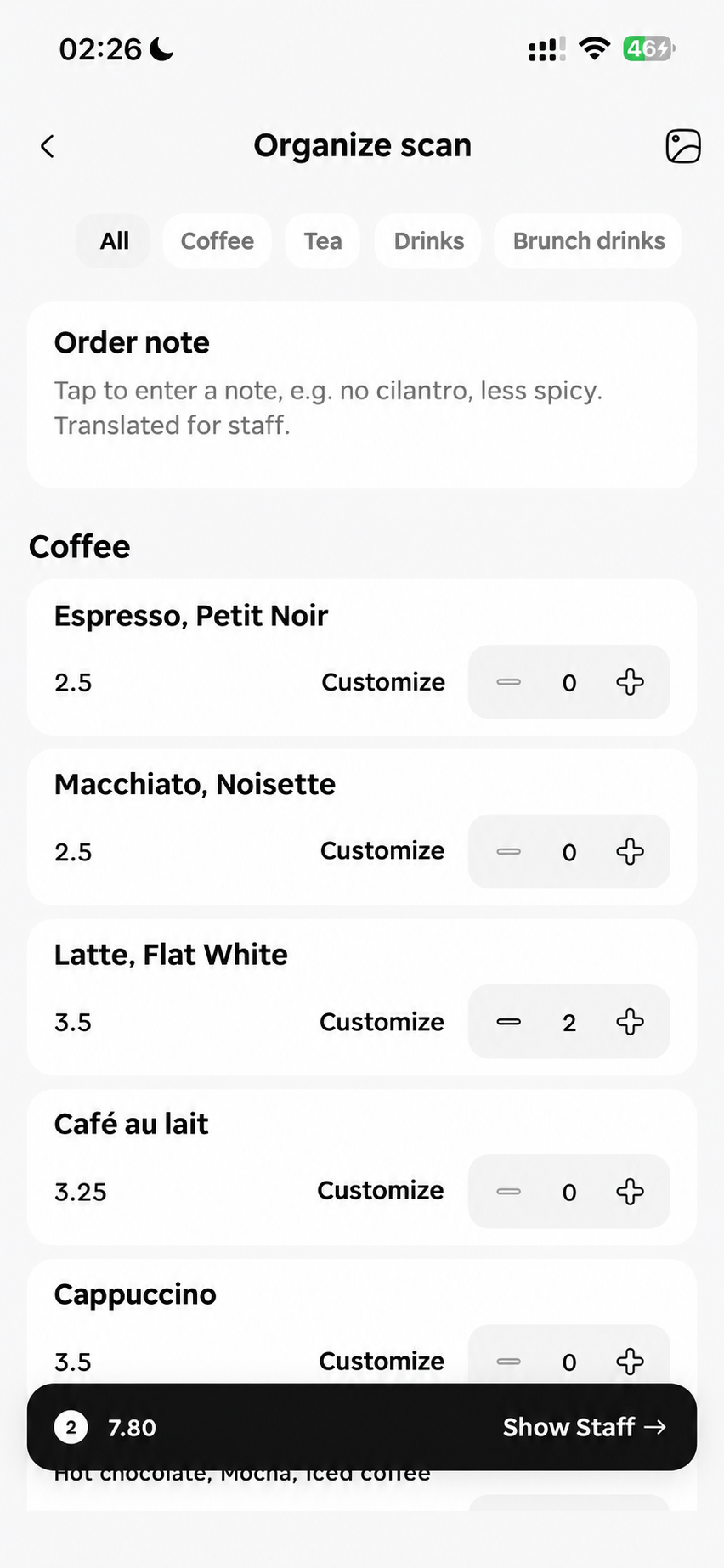
Turn a foreign menu into dishes you can choose: names, descriptions, prices and available extras together. Pick quantities and add notes, then show the original-language order. Known prices are totalled by currency.
- 01Dish names, descriptions and prices become easy-to-browse choices.
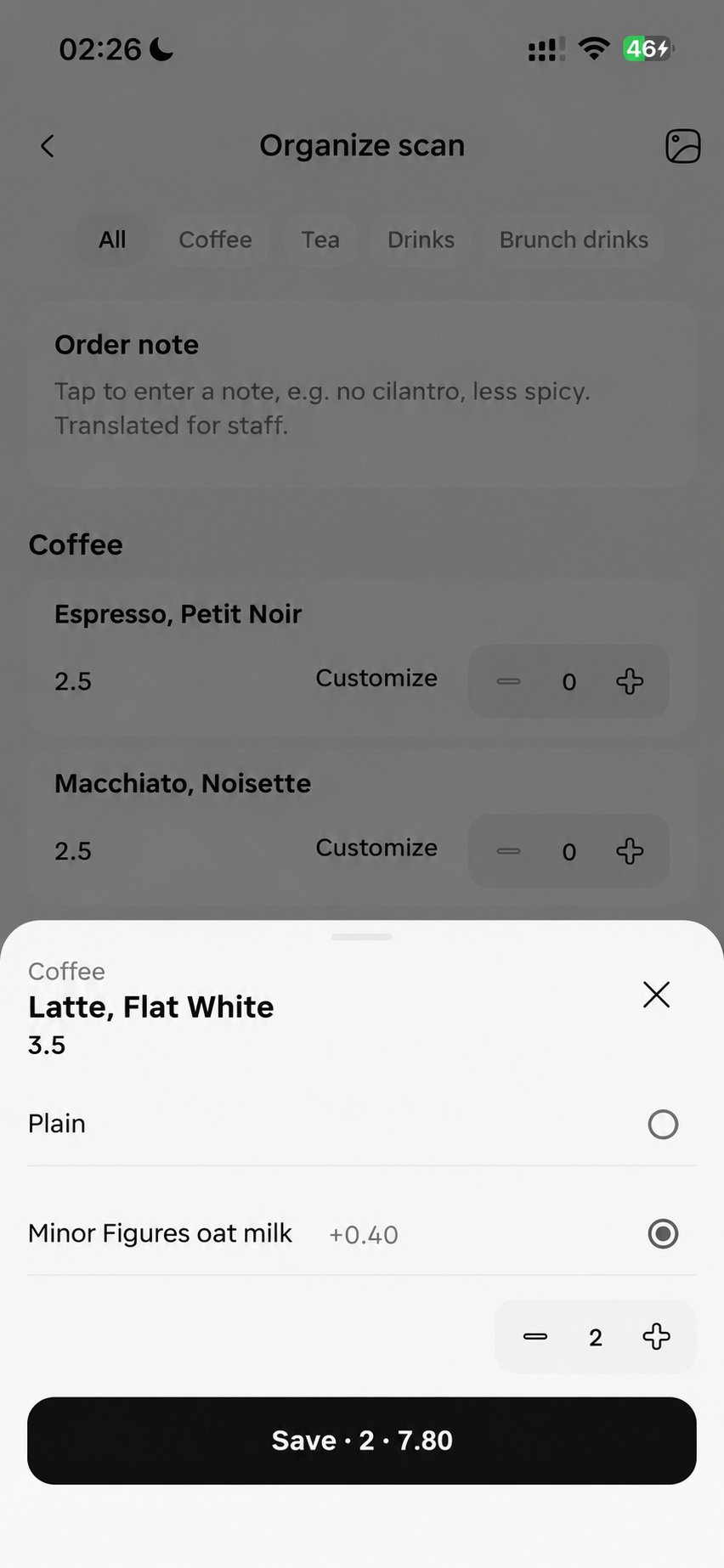
- 02Choose quantities, sizes, available extras and notes to suit you.
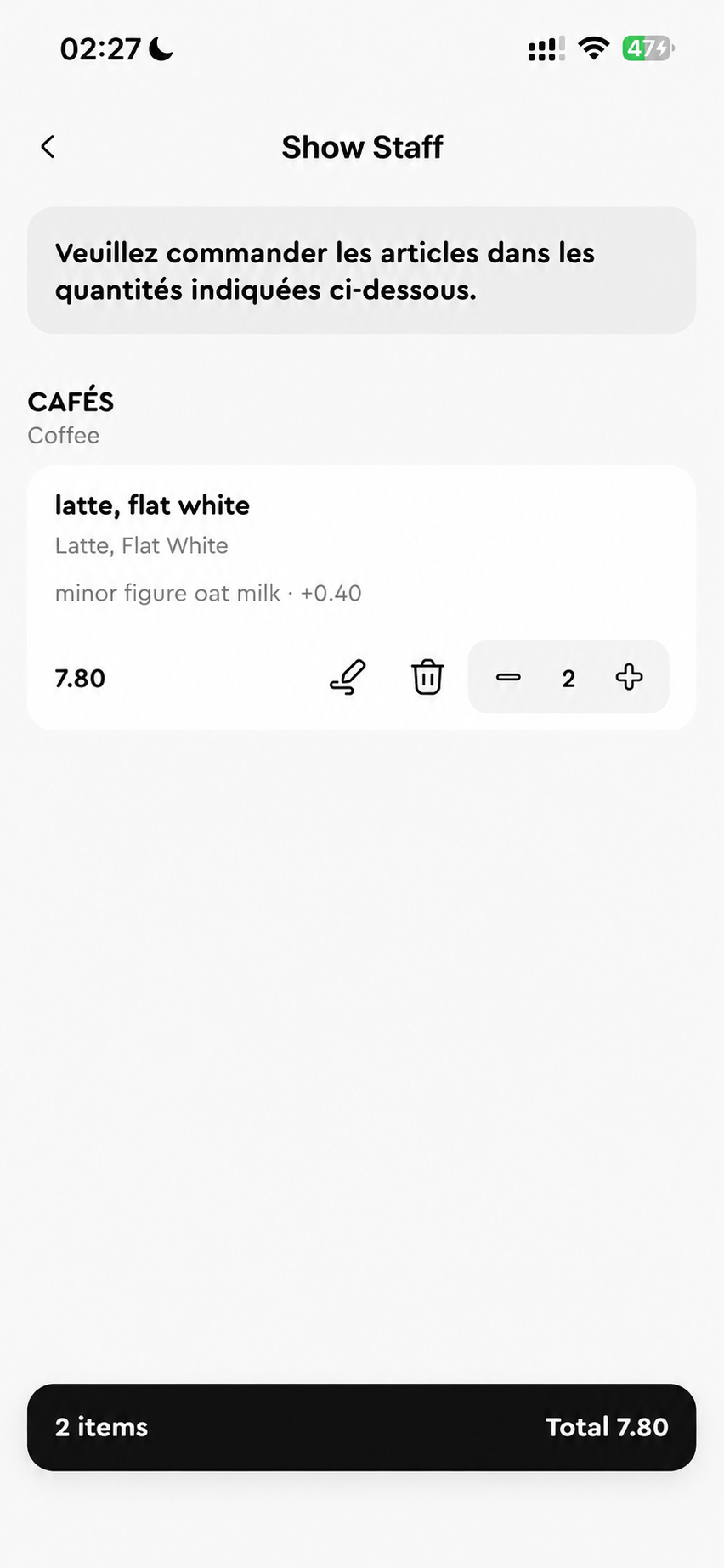
- 03Show your original-language order, with known prices totalled by currency.
See how it worksStart with a real task.
Read the dishes and prices, choose quantities, sizes or available extras, and add notes. Open the original-language order to show items, options and quantities to staff.
Known prices are totalled separately by currency; no definite total is given for unclear prices. Confirm ingredients, allergens and preparation directly with staff before showing your order.
Back · Blog